The skill Claude follows
Brief, beat sheet, 12 rules, signature moves and a quality bar. Works in Claude Code, Claude.ai Projects or any chat.
Free download
The AI Motion Kit gives Claude the rules, hooks and animation engine to turn a few directions into scroll-stopping reels, App Store previews and launch videos. The reel on this page was made with it.
Made with Claude and this kit
What's inside
Not a template pack. A way of working that makes every video you ask for look designed.
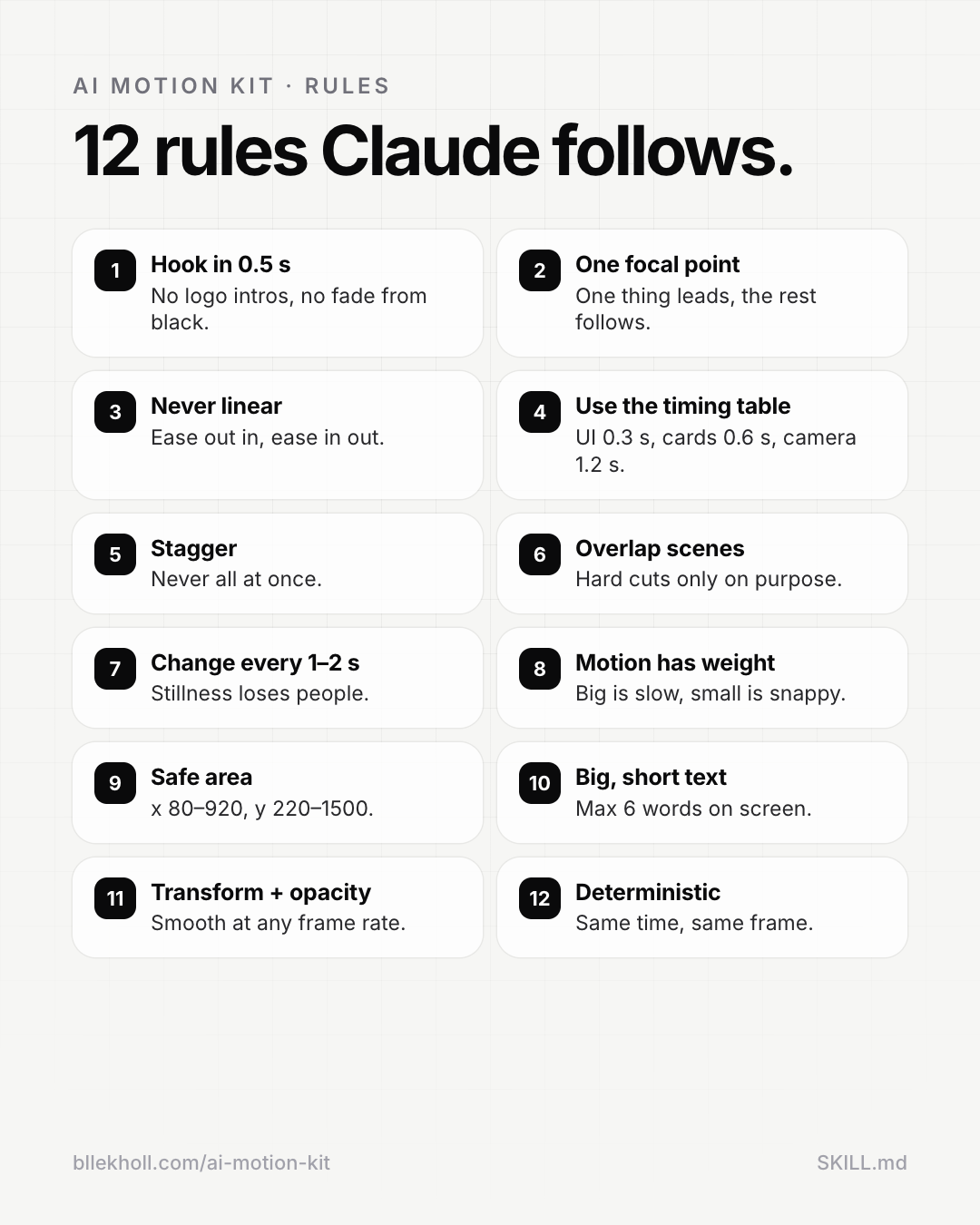
Brief, beat sheet, 12 rules, signature moves and a quality bar. Works in Claude Code, Claude.ai Projects or any chat.
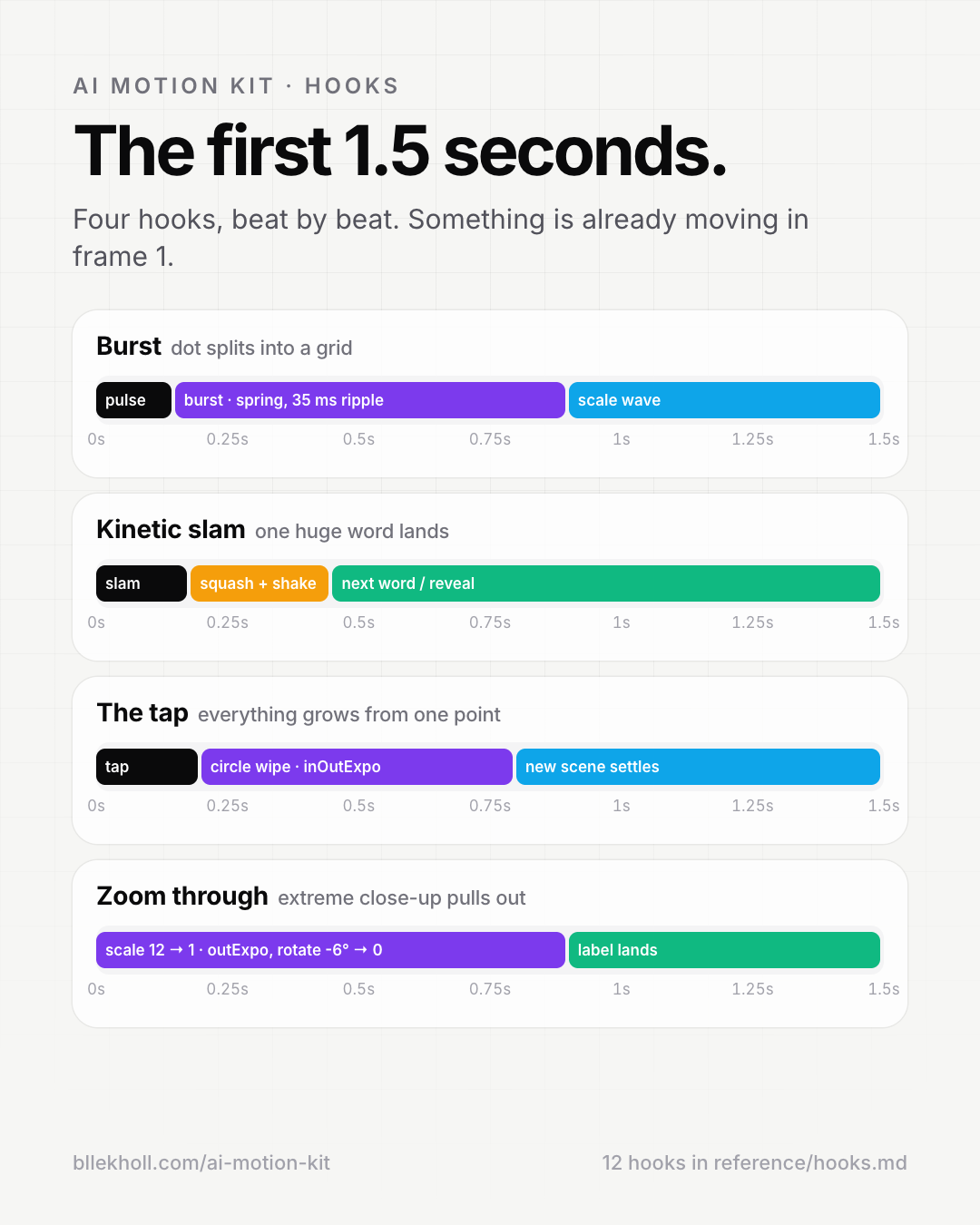
Burst, kinetic slam, the tap, zoom through, hard stop and more, planned to the tenth of a second.
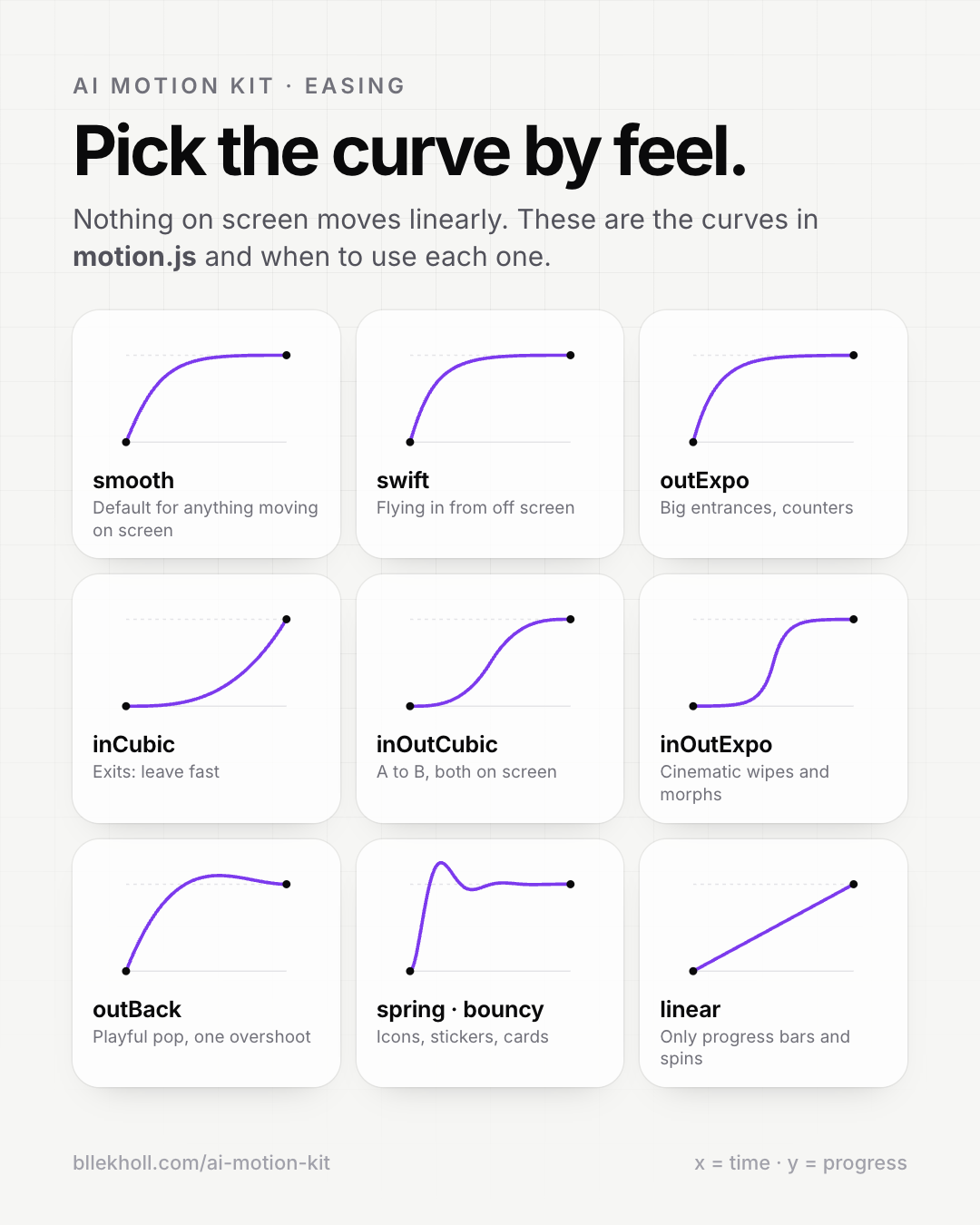
Easings, real springs, keyframes, stagger, text split, line draw and counters, with a preview player.
A full app launch reel to start from, plus the source of the reel that announced this kit.
One command turns any video into a 30 fps MP4, a single frame or a contact sheet for review.
Easing curves, timing, hooks, rules and the safe area for vertical video, as images.
Cheat sheets
How it works
Get the kit
Enter your email and download the .zip.
Give it to Claude
Drop the folder into Claude Code, or upload it to a Claude.ai Project.
Give a few directions
“A 12-second reel for my app, burst hook, premium feel.”
Preview and render
Scrub it in your browser, then render it to MP4.
Use it for your own videos and client work. Want a launch video made for you instead?
See our motion design service